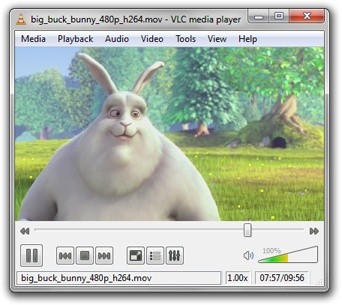
MPlayer is a movie player which runs on many systems (see the documentation). It plays most MPEG/VOB, AVI, Ogg/OGM, VIVO, ASF/WMA/WMV, QT/MOV/MP4, RealMedia, Matroska, NUT, NuppelVideo, FLI, YUV4MPEG, FILM, RoQ, PVA files, supported by many native, XAnim, and Win32 DLL codecs. You can watch VideoCD, SVCD, DVD, 3ivx, DivX 3/4/5, WMV and even H.264 movies.
Another great feature of MPlayer is the wide range of supported output drivers. It works with X11, Xv, DGA, OpenGL, SVGAlib, fbdev, AAlib, DirectFB, but you can use GGI, SDL (and this way all their drivers), VESA (on every VESA compatible card, even without X11!) and some low level card-specific drivers (for Matrox, 3Dfx and ATI), too! Most of them support software or hardware scaling, so you can enjoy movies in fullscreen. MPlayer supports displaying through some hardware MPEG decoder boards, such as the Siemens DVB, DXR2 and DXR3/Hollywood+.
MPlayer has an onscreen display (OSD) for status information, nice big antialiased shaded subtitles and visual feedback for keyboard controls. European/ISO 8859-1,2 (Hungarian, English, Czech, etc), Cyrillic and Korean fonts are supported along with 12 subtitle formats (MicroDVD, SubRip, OGM, SubViewer, Sami, VPlayer, RT, SSA, AQTitle, JACOsub, PJS and our own: MPsub). DVD subtitles (SPU streams, VOBsub and Closed Captions) are supported as well.
License
MPlayer is available under the GNU General Public License version 2. It is not available under any other licensing terms, not even for substantial amounts of money. If you have questions about the GNU GPL, consult the GPL FAQ.
Supported Input Formats
* (S)VCD (Super Video CD)
* CDRwin's .bin image file
* DVD, including encrypted DVD
* MPEG-1/2 (ES/PS/PES/VOB)
* AVI file format
* ASF/WMV/WMA format
* QT/MOV/MP4 format
* RealAudio/RealVideo format
* Ogg/OGM files
* Matroska
* NUT
* NSV (Nullsoft Streaming Video)
* VIVO format
* FLI format
* NuppelVideo format
* yuv4mpeg format
* FILM (.cpk) format
* RoQ format
* PVA format
* streaming via HTTP/FTP, RTP/RTSP, MMS/MMST, MPST, SDP
* TV grabbing
Supported Video and Audio Codecs
most important video codecs:
* MPEG-1 (VCD) and MPEG-2 (SVCD/DVD/DVB) video
* MPEG-4 ASP in all variants including DivX ;-), OpenDivX (DivX4), DivX 5 (Pro), Xvid
* MPEG-4 AVC aka H.264
* Windows Media Video 7/8 (WMV1/2)
* Windows Media Video 9 (WMV3) (using x86 DLL)
* RealVideo 1.0, 2.0 (G2)
* RealVideo 3.0 (RP8), 4.0 (RP9) (using Real libraries)
* Sorenson v1/v3 (SVQ1/SVQ3), Cinepak, RPZA and other QuickTime codecs
* DV video
* 3ivx
* Intel Indeo3 (3.1, 3.2)
* Intel Indeo 4.1 and 5.0 (using x86 DLL or XAnim codecs)
* VIVO 1.0, 2.0, I263 and other H.263(+) variants (using x86 DLL)
* MJPEG, AVID, VCR2, ASV2 and other hardware formats
* FLI/FLC
* HuffYUV
* various old simple RLE-like formats
most important audio codecs:
* MPEG layer 1, 2, and 3 (MP3) audio
* AC3/A52, E-AC3, DTS (Dolby Digital) audio (software or SP/DIF)
* AAC (MPEG-4 audio)
* WMA (DivX Audio) v1, v2
* WMA 9 (WMAv3), Voxware audio, ACELP.net etc (using x86 DLLs)
* RealAudio: COOK, SIPRO, ATRAC3 (using Real libraries)
* RealAudio: DNET and older codecs
* QuickTime: Qclp, Q-Design QDMC/QDM2, MACE 3/6 (using QT libraries), ALAC
* Ogg Vorbis audio
* VIVO audio (g723, Vivo Siren) (using x86 DLL)
* alaw/ulaw, (ms)gsm, pcm, *adpcm and other simple old audio formats
Supported Video Output Devices
general:
* x11: X11 with SHM extension
* xv: X11 using overlays with the Xvideo extension (hardware YUV & scaling)
* xvmc: Xvideo Motion Compensation
* vidix: VIDeo Interface for *niX
* xvidix: VIDIX in an X11 window
* cvidix: VIDIX on the console
* winvidix: VIDIX under Windows
* dga: X11 DGA extension (both v1.0 and v2.0)
* gl: OpenGL renderer
* gl2: alternative OpenGL renderer (with multiple textures)
* fbdev: framebuffer output
* svga: SVGAlib output (supports EGA displays)
* sdl: SDL >= v1.1.7 driver
* ggi: GGI graphics output
* aalib: text mode rendering
* caca: text mode rendering in color
* vesa: display through the VESA BIOS (also needed for Radeon TV-out)
* directfb: DirectFB support
* direct3d: native Windows Direct3D 9 output driver
* directx: native Windows DirectX output driver
* quartz: native Mac OS X output driver
card specific:
* mga: Matrox G200/G400/G450/G550 hardware YUV overlay via the mga_vid device
* xmga: Matrox G200/G400/G450/G550 overlay (mga_vid) in X11 window (Xv emulation on X 3.3.x!)
* syncfb: Matrox G400 YUV on framebuffer
* 3dfx: Voodoo 3/Banshee hardware YUV (/dev/3dfx)
* tdfxfb: Voodoo 3/Banshee hardware YUV on tdfx framebuffer
* mpegpes: Siemens DVB hardware MPEG-1/2 decoder boards (or MPEG-PES file output)
* dxr2: DXR2 hardware MPEG-1/2 decoder boards
* dxr3: DXR3/Hollywood+ hardware MPEG-1/2 decoder boards
* zr: Zoran360[56]7 based hardware MJPEG cards
* vdpau: hardware acceleration for NVidia cards
special:
* png: PNG output
* jpeg: JPEG output
* gif89a: animated GIF output
* tga: Targa output
* yuv4mpeg: yuv4mpeg output for mjpegtools
* pgm: PGM output (for testing purposes)
* md5: MD5sum output (for debugging)
* null: null output (for speed tests/benchmarking)
* bl: Blinkenlights output
See the video card section of the documentation for more details.
Supported Audio Output Devices
* OSS (Open Sound System) - factory standard under UNIX
* SDL (Simple Directmedia Layer) - wrapper library with support for various systems
* ALSA (Advanced Linux Sound Architecture) 0.5/0.9/1.0 for Linux
* SUN audio driver for BSD and Solaris8/9 users
* SGI audio for IRIX
* Mac OS X audio
* Windows audio
* NAS (Network Audio System)
* ESD (ESound Daemon)
* ARTS (KDE Sound System)
* JACK (Jack Audio Connection Kit)
MPlayer comes with a GUI that is not build by default. The GUI section of the documentation explains how to enable it. Several external MPlayer frontends provide alternative GUIs.
Documentation
Requirements: Windows XP and above/ Linux
File Size: 8.90 MB
Download
Developer's Website