Showing posts with label image editor. Show all posts

Tuesday, September 15, 2009

Picasa 3


Picasa is a software application for organizing and editing digital photos.

Manage your photos in one place, and find photos you forgot you had
edit
Eliminate scratches & blemishes, fix red-eye, crop and more
create
Turn photos into movies, collages, slideshows and more
share
Upload seamlessly to Picasa Web Albums to share with friends, family & the world

Requirements:

  • Windows XP/Vista or Linux
  • 256MB RAM
  • 100MB available hard disk space
Picasa also runs on Mac OS X and Linux.

File Size: 9.58 MB

Download
Developer's Website

Digg Technorati Delicious StumbleUpon Reddit BlinkList Furl Mixx Facebook Google Bookmark Yahoo
ma.gnolia squidoo newsvine live netscape tailrank mister-wong blogmarks slashdot spurl

Thursday, September 10, 2009

PicPick Tools 2.1

PicPick is an all-in-one software for software developers, graphic designers and home user.

It has an intuitive interface and simple, elegant operation. After starting the software, you simply select one of the tool from the PicPick Tools trayicon menu when you want.

It features a powerful capture tool, image editor, color picker, color palette, pixel ruler, protractor, crosshair, whiteboard and etc. You can use all these tools freely.

PicPick is portable ware, so you don't need any installation.
And, this is distributed as Freeware. So you may use this software on any number of computers for as long as you like.

picpick_eng.png


Features
  • Captures
    - Full Screen (Support for Dual Monitors)
    - Active Window
    - Window Control (Scroll a page automatically)
    - Region, Fixed Region
    - FreeHand
    - Repeat Last Capture
  • Image Editor
    - It's very similar to Microsoft Paint, but you can do more.
    - It provides an effect like selection opacity, blur, sharpen, brightness, contrast, hue, saturation, flip, rotate and etc.
  • Color Picker
  • Color Palette
  • Magnifier
  • Pixel Ruler
  • Protractor
  • Crosshair
  • Whiteboard
Requirements: Windows XP and above

File Size: 1.47 MB

Download
Developer's Website

Digg Technorati Delicious StumbleUpon Reddit BlinkList Furl Mixx Facebook Google Bookmark Yahoo
ma.gnolia squidoo newsvine live netscape tailrank mister-wong blogmarks slashdot spurl

Monday, August 24, 2009

Paint.Net 3.36


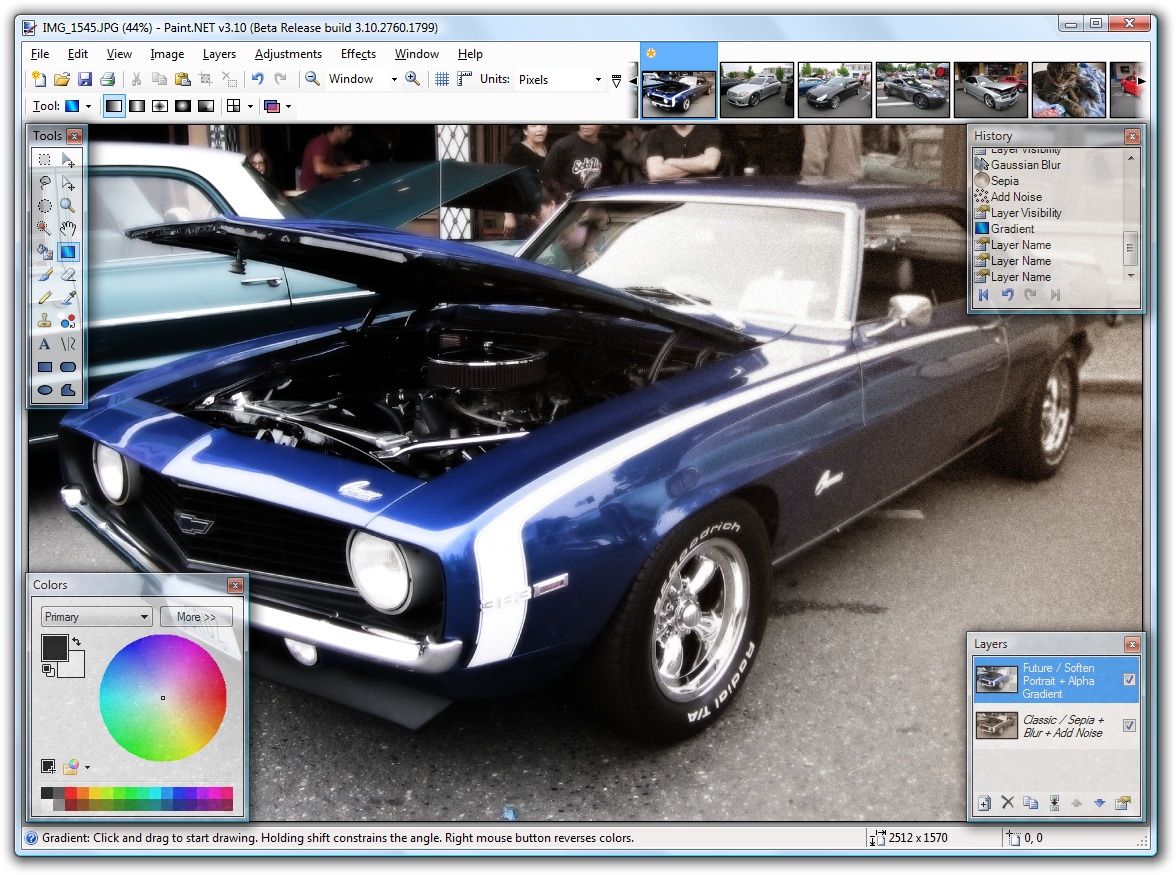
Paint.NET is free image and photo editing software for computers that run Windows. It features an intuitive and innovative user interface with support for layers, unlimited undo, special effects, and a wide variety of useful and powerful tools. An active and growing online community provides friendly help, tutorials, and plugins.

It started development as an undergraduate college senior design project mentored by Microsoft, and is currently being maintained by some of the alumni that originally worked on it. Originally intended as a free replacement for the Microsoft Paint software that comes with Windows, it has grown into a powerful yet simple image and photo editor tool. It has been compared to other digital photo editing software packages such as Adobe® Photoshop®, Corel® Paint Shop Pro®, Microsoft Photo Editor, and The GIMP.

Requirements:
  • Windows XP (SP2 or newer),
    or Windows Vista,
    or Windows 7,
    or Windows Server (2003 SP1 or newer)
  • .NET Framework 3.5 SP1 (free download from Microsoft)
  • 256 MB of RAM (Recommended: 512 MB or more)
  • 1024 x 768 screen resolution
  • 200+ MB hard drive space
  • 64-bit mode requires a 64-bit CPU and a 64-bit edition of Windows

File Size: 1.6 MB

Download
Developer's Website

Digg Technorati Delicious StumbleUpon Reddit BlinkList Furl Mixx Facebook Google Bookmark Yahoo
ma.gnolia squidoo newsvine live netscape tailrank mister-wong blogmarks slashdot spurl

Wednesday, August 12, 2009

GIMP 2.6.6


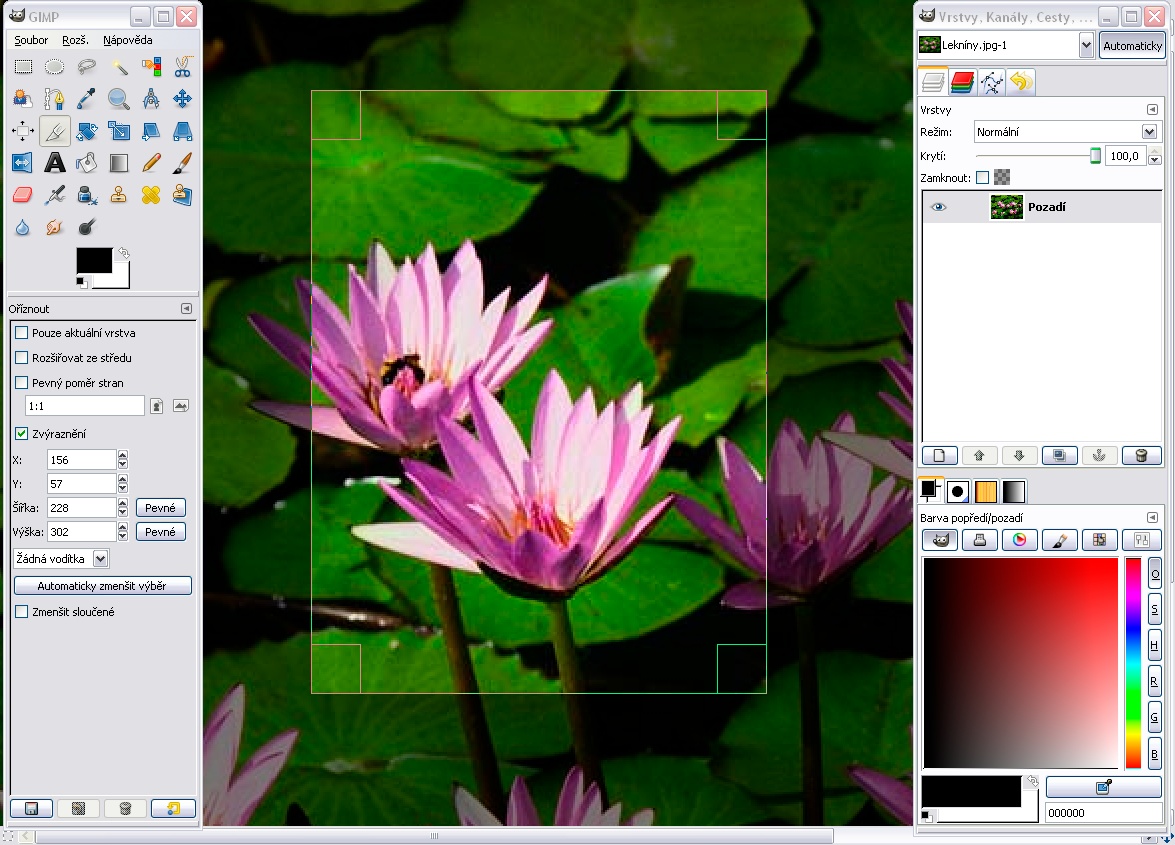
GIMP is an acronym for GNU Image Manipulation Program. It is a freely distributed program for such tasks as photo retouching, image composition and image authoring.

It has many capabilities. It can be used as a simple paint program, an expert quality photo retouching program, an online batch processing system, a mass production image renderer, an image format converter, etc.

GIMP is expandable and extensible. It is designed to be augmented with plug-ins and extensions to do just about anything. The advanced scripting interface allows everything from the simplest task to the most complex image manipulation procedures to be easily scripted.

GIMP is written and developed under X11 on UNIX platforms. But basically the same code also runs on MS Windows and Mac OS X.

Features and Capabilities

This is only a very quickly thrown together list of GIMP features. You can also have a look at the illustrated features overview.

  • Painting
    • Full suite of painting tools including Brush, Pencil, Airbrush, Clone, etc.
    • Sub-pixel sampling for all paint tools for high quality anti-aliasing
    • Extremely powerful gradient editor and blend tool
    • Supports custom brushes and patterns
  • System
    • Tile based memory management so image size is limited only by available disk space
    • Virtually unlimited number of images open at one time
  • Advanced Manipulation
    • Full alpha channel support
    • Layers and channels
    • Multiple Undo/Redo (limited only by diskspace)
    • Editable text layers
    • Transformation tools including rotate, scale, shear and flip
    • Selection tools including rectangle, rounded rectangle, ellipse, free, fuzzy
    • Foreground extraction tool
    • Advanced path tool doing bezier and polygonal selections.
    • Transformable paths, transformable selections.
    • Quickmask to paint a selection.
  • Extensible
    • A Procedural Database for calling internal GIMP functions from external programs as in Script-fu
    • Advanced scripting capabilities (Scheme, Python, Perl)
    • Plug-ins which allow for the easy addition of new file formats and new effect filters
    • Over 100 plug-ins already available
  • Animation
    • Load and save animations in a convenient frame-as-layer format
    • MNG support
    • Frame Navigator (in GAP, the GIMP Animation Package)
    • Onion Skin (in GAP, the GIMP Animation Package)
    • Bluebox (in GAP, the GIMP Animation Package)
  • File Handling
    • File formats supported include bmp, gif, jpeg, mng, pcx, pdf, png, ps, psd, svg, tiff, tga, xpm, and many others
    • Load, display, convert, save to many file formats
    • SVG path import/export

OS requirements for GIMP: Win2000/XP/2003/Vista
File Size: 15 MB

Download
Developer's Website

Digg Technorati Delicious StumbleUpon Reddit BlinkList Furl Mixx Facebook Google Bookmark Yahoo
ma.gnolia squidoo newsvine live netscape tailrank mister-wong blogmarks slashdot spurl

Tuesday, August 4, 2009

IrfanView 4.25


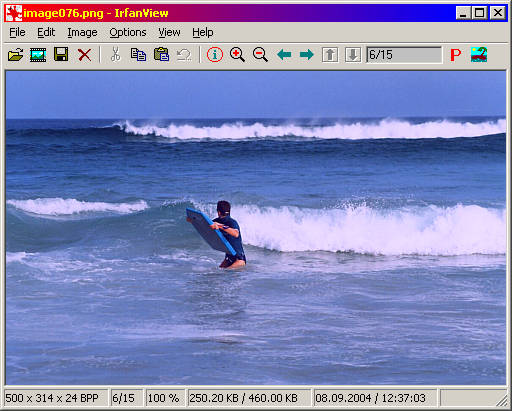
IrfanView is a very fast, small, compact and innovative FREEWARE (for non-commercial use) graphic viewer for Windows 9x, ME, NT, 2000, XP, 2003 , 2008, Vista, Windows 7.

It is trying to be simple for beginners and powerful for professionals.

IrfanView is trying to create new and/or interesting features in its own way, unlike some other graphic viewers, whose whole "creativity" is based on feature cloning, stealing of ideas and whole dialogs from ACDSee and/or IrfanView! (for example: XnView has been stealing/cloning features and whole dialogs from IrfanView, for 10+ years).

IrfanView was the first Windows graphic viewer WORLDWIDE with Multiple (animated) GIF support.
One of the first graphic viewers WORLDWIDE with Multipage TIF support.
The first graphic viewer WORLDWIDE with Multiple ICO support.

Some IrfanView features:

* Many supported file formats (click here the list of formats)
* Multi language support
* Thumbnail/preview option
* Paint option - to draw lines, circles, arrows, straighten image etc.
* Toolbar skins option
* Slideshow (save slideshow as EXE/SCR or burn it to CD)
* Show EXIF/IPTC/Comment text in Slideshow/Fullscreen etc.
* Support for Adobe Photoshop Filters
* Fast directory view (moving through directory)
* Batch conversion (with image processing)
* Multipage TIF editing
* File search
* Email option
* Multimedia player
* Print option
* Support for embedded color profiles in JPG/TIF
* Change color depth
* Scan (batch scan) support
* Cut/crop
* IPTC editing
* Effects (Sharpen, Blur, Adobe 8BF, Filter Factory, Filters Unlimited, etc.)
* Capturing
* Extract icons from EXE/DLL/ICLs
* Lossless JPG rotation
* Unicode support
* Many hotkeys
* Many command line options
* Many PlugIns
* Only one EXE-File, no DLLs, no Shareware messages like "I Agree" or Evaluation expired"
* No registry changes without user action/permission!
* and much much more

File Size: 1.33 MB

Download
Developer's Website

Digg Technorati Delicious StumbleUpon Reddit BlinkList Furl Mixx Facebook Google Bookmark Yahoo
ma.gnolia squidoo newsvine live netscape tailrank mister-wong blogmarks slashdot spurl