Showing posts with label image resizer. Show all posts

Tuesday, August 4, 2009

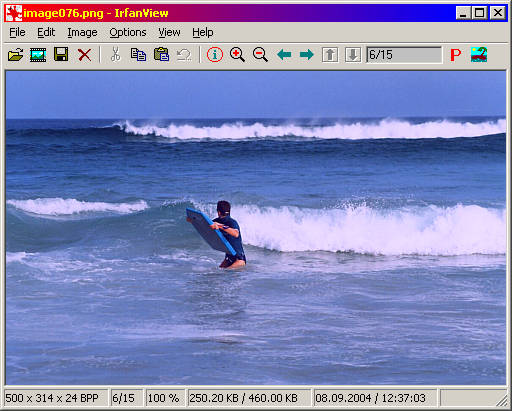
IrfanView 4.25


IrfanView is a very fast, small, compact and innovative FREEWARE (for non-commercial use) graphic viewer for Windows 9x, ME, NT, 2000, XP, 2003 , 2008, Vista, Windows 7.

It is trying to be simple for beginners and powerful for professionals.

IrfanView is trying to create new and/or interesting features in its own way, unlike some other graphic viewers, whose whole "creativity" is based on feature cloning, stealing of ideas and whole dialogs from ACDSee and/or IrfanView! (for example: XnView has been stealing/cloning features and whole dialogs from IrfanView, for 10+ years).

IrfanView was the first Windows graphic viewer WORLDWIDE with Multiple (animated) GIF support.
One of the first graphic viewers WORLDWIDE with Multipage TIF support.
The first graphic viewer WORLDWIDE with Multiple ICO support.

Some IrfanView features:

* Many supported file formats (click here the list of formats)
* Multi language support
* Thumbnail/preview option
* Paint option - to draw lines, circles, arrows, straighten image etc.
* Toolbar skins option
* Slideshow (save slideshow as EXE/SCR or burn it to CD)
* Show EXIF/IPTC/Comment text in Slideshow/Fullscreen etc.
* Support for Adobe Photoshop Filters
* Fast directory view (moving through directory)
* Batch conversion (with image processing)
* Multipage TIF editing
* File search
* Email option
* Multimedia player
* Print option
* Support for embedded color profiles in JPG/TIF
* Change color depth
* Scan (batch scan) support
* Cut/crop
* IPTC editing
* Effects (Sharpen, Blur, Adobe 8BF, Filter Factory, Filters Unlimited, etc.)
* Capturing
* Extract icons from EXE/DLL/ICLs
* Lossless JPG rotation
* Unicode support
* Many hotkeys
* Many command line options
* Many PlugIns
* Only one EXE-File, no DLLs, no Shareware messages like "I Agree" or Evaluation expired"
* No registry changes without user action/permission!
* and much much more

File Size: 1.33 MB

Download
Developer's Website

Digg Technorati Delicious StumbleUpon Reddit BlinkList Furl Mixx Facebook Google Bookmark Yahoo
ma.gnolia squidoo newsvine live netscape tailrank mister-wong blogmarks slashdot spurl

Sunday, August 2, 2009

Fotosizer 1.22.0.403


Fotosizer is a freeware batch image resizer tool. It resizes your photos in just 3 easy steps - 1. Photo selection, 2. select resize settings, then 3. Start the resize!

Increasingly, sharing photos on the internet is becomming more and more popular. Photos, represented as JPEG files from digital cameras, taken at high resolutions are far too large to send over the Internet, with some photos ending up at 5 mega bytes. Uploading one photo to a photo sharing website is fine, but 10, 20, or even more, this can take forever, especially on a dial-up connection.

With Fotosizer, you can shrink JPEG image files, along with other supported formats, and dramatically reduce internet transfer times, enabling you to quickly and easily prepare your image collections to be published on the web.

Help unlock the photos from your digital camera. Use Fotosizer to batch resize your photos making it easier and faster to email to friends, upload to photo sharing websites or upload to websites that offer photo printing services.

Fotosizer lets you resize in 3 easy steps, allowing you to choose the photos you want to resize, the dimensions, and where you want to save the new photos.

Resize quickly and easily using a preset list of sizes including iPod, iPhone, and Sony PSP screen sizes.

Requirements: Windows 98/ME/2000/2003/XP/Vista, 128MB RAM, 5MB HD, SVGA or Higher Resolution Display, Mouse and Keyboard.

File Size: 1.24 MB
Download
Developer's Website

Digg Technorati Delicious StumbleUpon Reddit BlinkList Furl Mixx Facebook Google Bookmark Yahoo
ma.gnolia squidoo newsvine live netscape tailrank mister-wong blogmarks slashdot spurl